

webshop
Bookinger
Begivenheder
Popup

Size Chart: Fit Guide
Fra
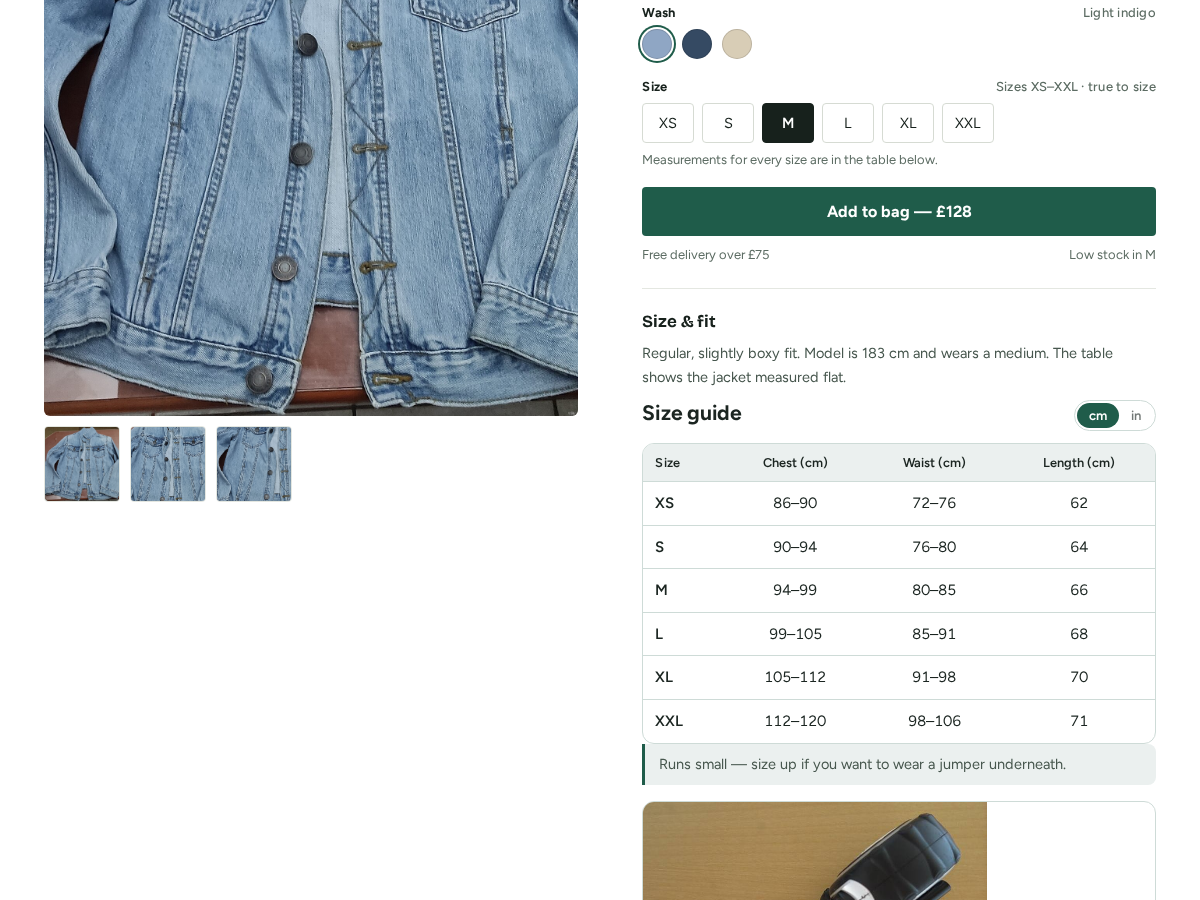
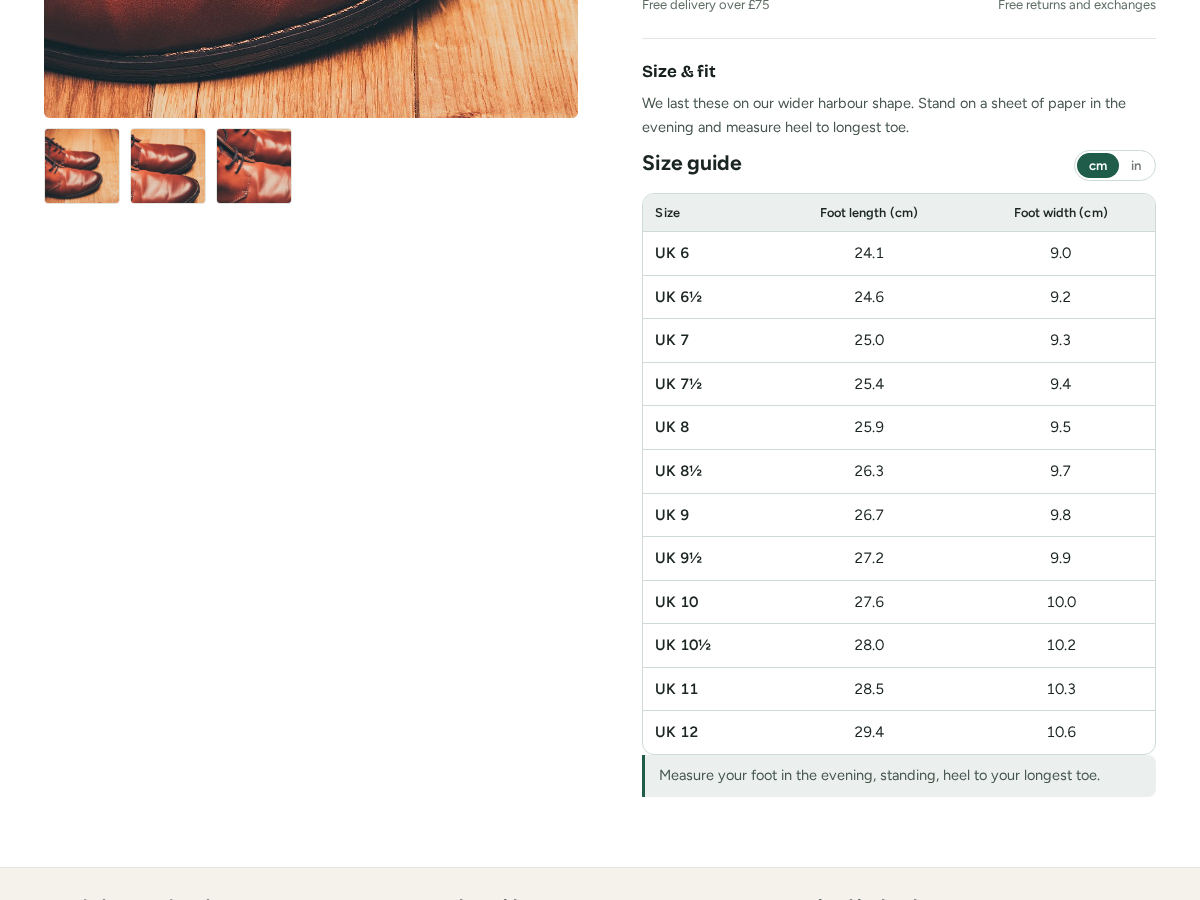
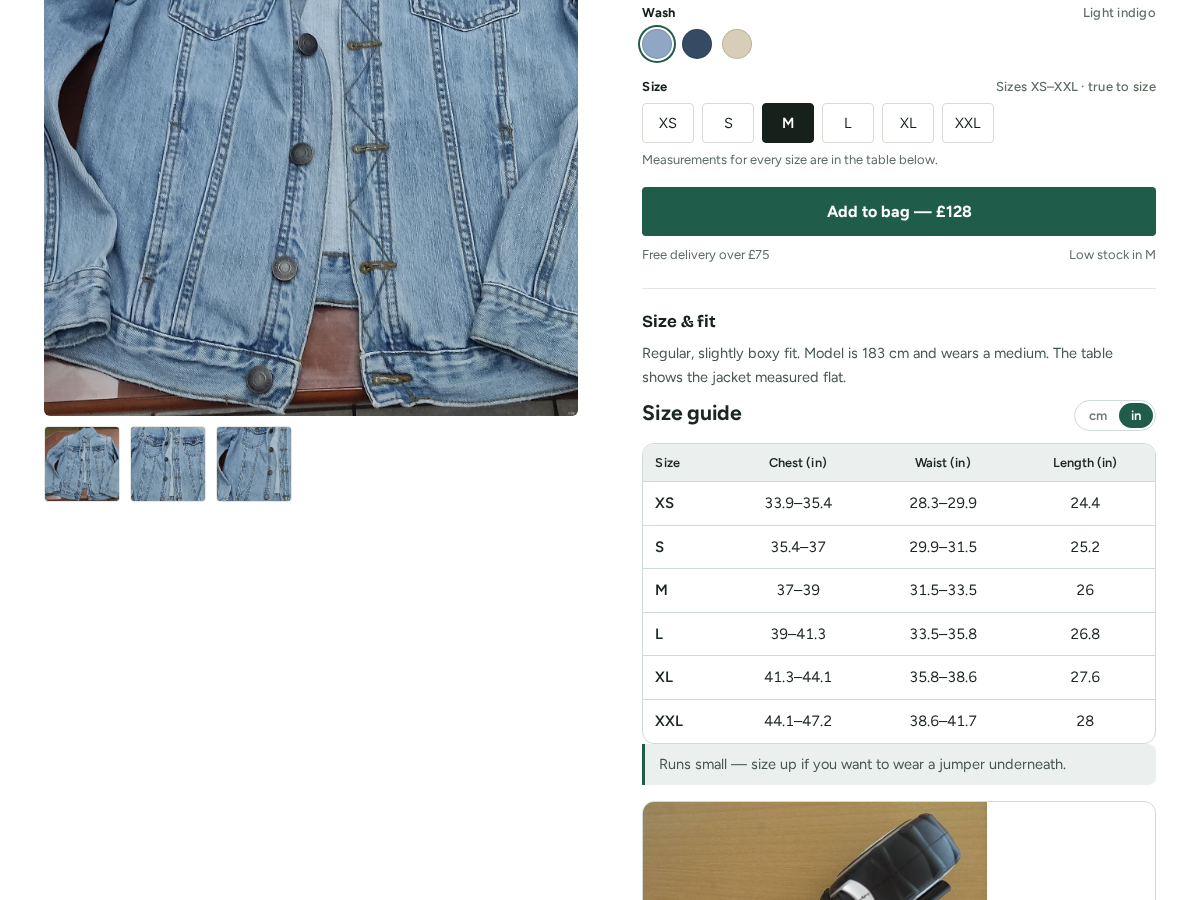
A fit table on every product page
Ingen anmeldelser endnu
Gratis abonnement er tilgængeligt

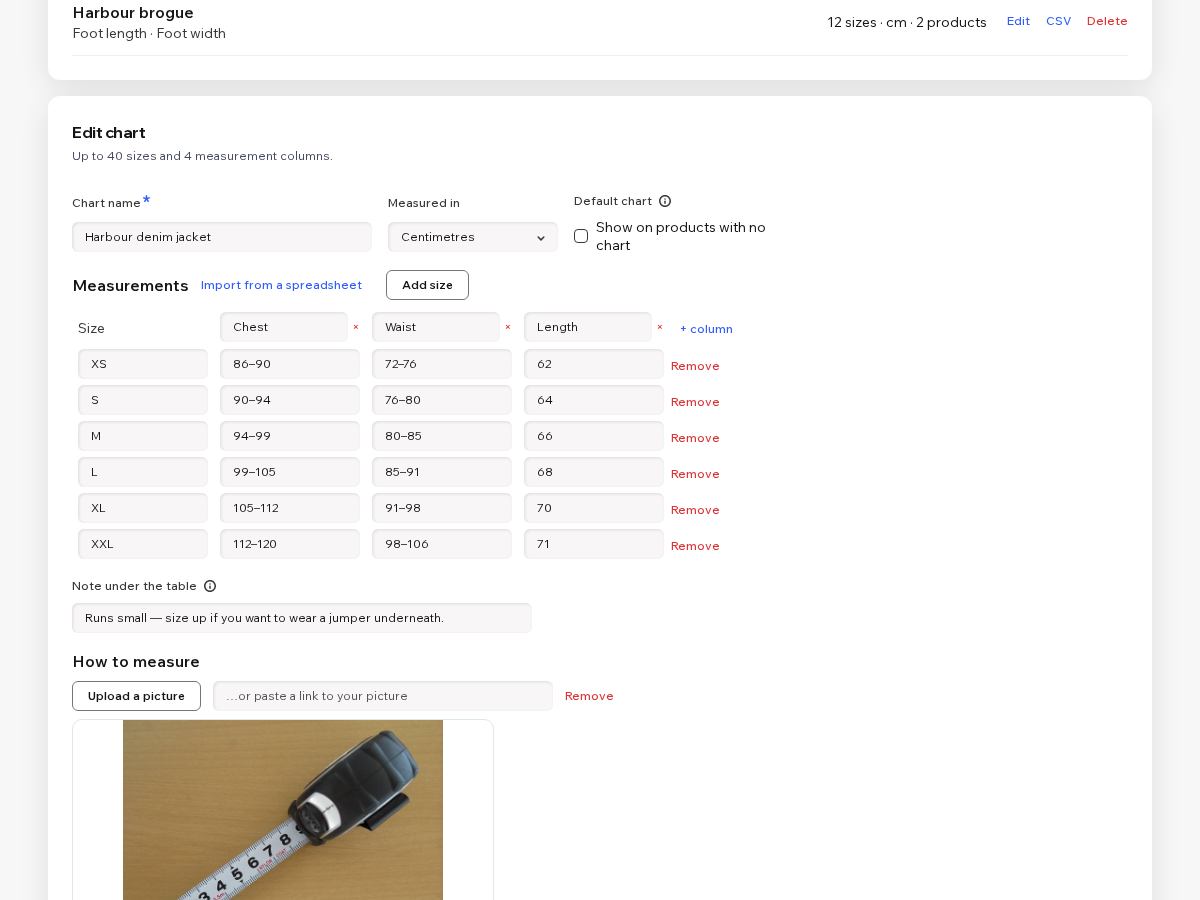
Size Chart: Fit Guide-oversigt
- Your own measurements, in cm or inches
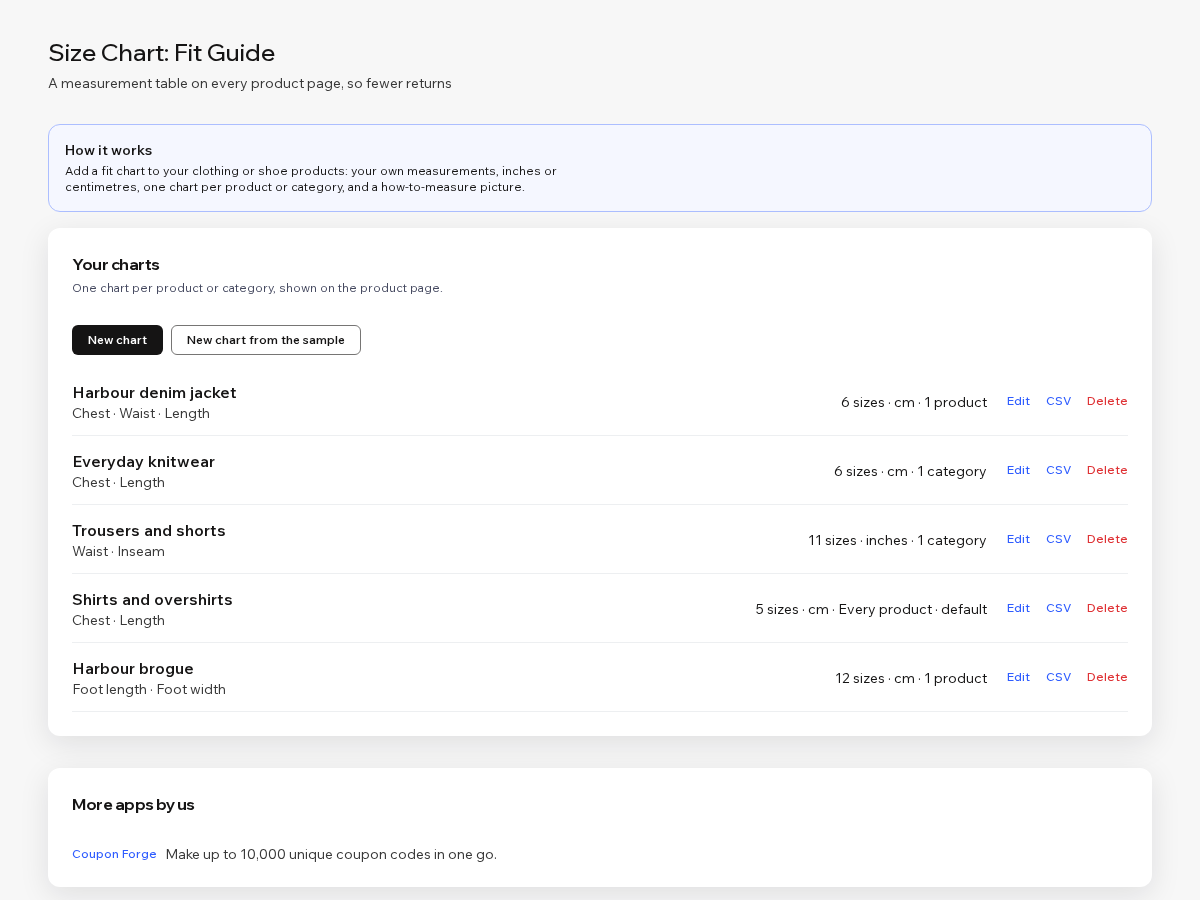
- One chart per product or per category
- A runs-small note and a how-to-measure picture
- Import sizes from a spreadsheet (Premium)
Bedømmelse & anmeldelser
Denne app har ikke modtaget nogen bedømmelser endnu, vær den første til at bedømme den.Priser og betalingspakker
Basic-abonnement
Gratis
One chart on every product page
Up to 8 sizes in the table
Your own measurement columns
Small credit link under the table
Premium-abonnement
$
1
60
/måned
$320
Up to 50 charts, 40 sizes each
A chart for every product or category
cm and inches switch for shoppers
How-to-measure picture and spreadsheet import
* Prisen er i USD.